ContentDB: https://content.luanti.org/packages/MatyasP/archiplanner/
Forum: https://forum.luanti.org/viewtopic.php?p=449702
Codeberg: https://codeberg.org/MatyasP/archiplanner
Informations about mod in languages:
Architect’s planner
About
Archiplanner (Architect’s planner) adds large places for uploading plans, maps etc. primary made for next building there.
What contain this mod:
- 2 „ruller“ textures
- 10 textures as „base for planning“ with resolution made as 16 px per node
- color palette
- white 1 px texture
- 11 simple models with plane for planning with left front corner double triangle „sign“
- 1 basic model for edit if somebody doesnt want to have the „double triangle sign“
- and code with logic for it
- 1 example
What supports this mod:
- any size of textures and building to 256 x 256 nodes
- simplier and more complex variant of registration of plans as nodes
- use plan register functions in other mods
Variants of nodes from main node:
- lc = left corner
- rc = right corner
- sc = side center
- c = center
- lcs = left corner with full-size selectionbox
- rcs = right corner with full-size selectionbox
- scs = side center with full-size selectionbox
- cs = center with full-size selectionbox
Models and textures for size variants that mod contain (only left-corner variant)
- (1 x 1 – only base for editing)
- 8 x 8
- 16 x 8
- 16 x 16
- 32 x 8
- 32 x 16
- 32 x 32
- 64 x 8
- 64 x 16
- 64 x 32
- 64 x 64
(other variants needs your model or your edit of existing model)
Important: variants with full-size selectionbox are not recommended for larger plans (64 x any and higher), it could be hard for server.
What doesn’t contain:
- more examples
- models for other variant of plan than lc / lcs
- crafting (maybe in future)
- hands for building the buildings
How to use this mod
Install this mod
Add your plan:
- Create a plan
- Create a inventory image
- (if do you want
- Add both files into archiplanner/textures
- Open plans.lua
- Find local plans (or local simpleplans if you use systematic names of textures and systematic names of meshes)
- Copy row without „–“ on start and change informations that you wants
- Save the file plans.lua
- Turn on world with this mod
Because I am partly lazy, is supported in column with node name etc. use with start symbols of „)“ or „!“ for simplify writing. Really file names shouldn’t contain these symbols!
- „)name“ etc. – adds name, size and Z-axe size
- „!name“ etc. – adds name, size, Z-axe size and variant
Placing, rotating, coloring etc.
- paramtype2 is colorfacedir then
- for rotate, use to main node (double triangle) „Rotator A“ from my mod
repainteror any screwdriver orworldedit - for repaint, use to main node „Repainter A“ from mod
repainteror worldedit or some other color changer (if is but this mod doesn’t support coloring by unifieddyes)
Licence
- Code and OBJs are under MIT
- Textures are under CC BY 4.0 without:
- CC0 1.0 textures – archiplanner_bpx.png and archiplanner_palette.png
(Why? Because these OBJ models are more code than visual art.)
Using AI
- Idea, logic and „hard work on code“ fully made by human.
- OBJs are hand-written, textures made by human in basic painting softwares (grid – GIMP, next edits – Paint.net).
- AI used only for basic help of syntax LUA code (contain too some bugfixes).
- Used AI models and tools: ChatGPT (GPT-4o, GPT-5), Gemini (Gemini 2.5)
Download:
https://codeberg.org/MatyasP/archiplanner
Issues
https://codeberg.org/MatyasP/archiplanner/issues
Knowed issues
- actually none
Coloring not only double triangle but too main plain isn’t a bug.
Screenshots
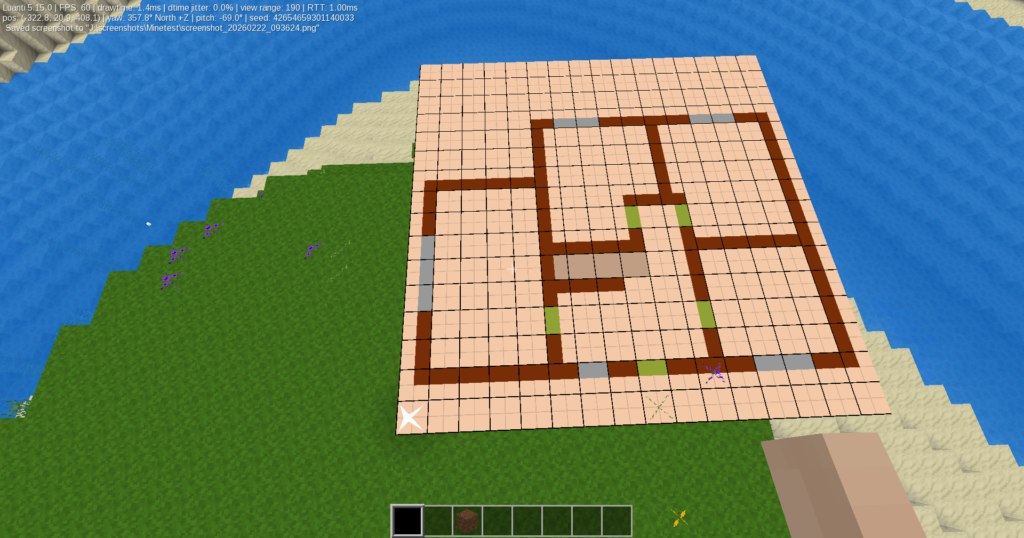
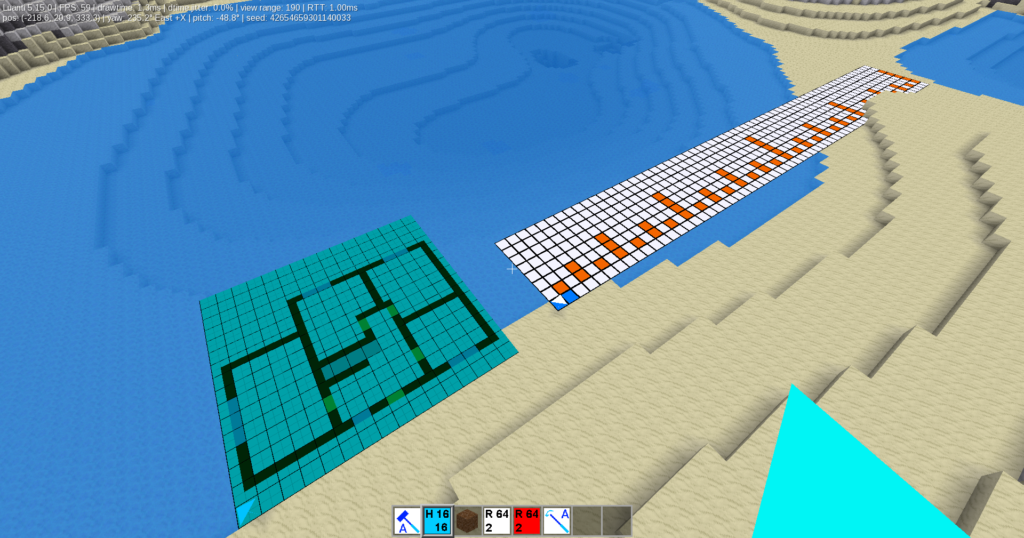
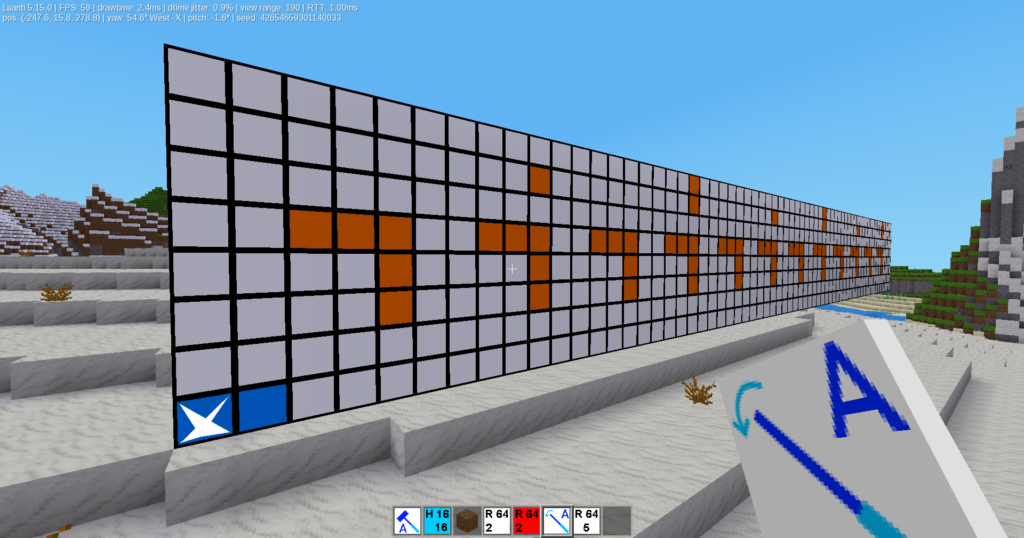
Plan for building house
Colored plan for building house near „Ruler“ with 2^ block design
Vertical placed ruller with 5-block design
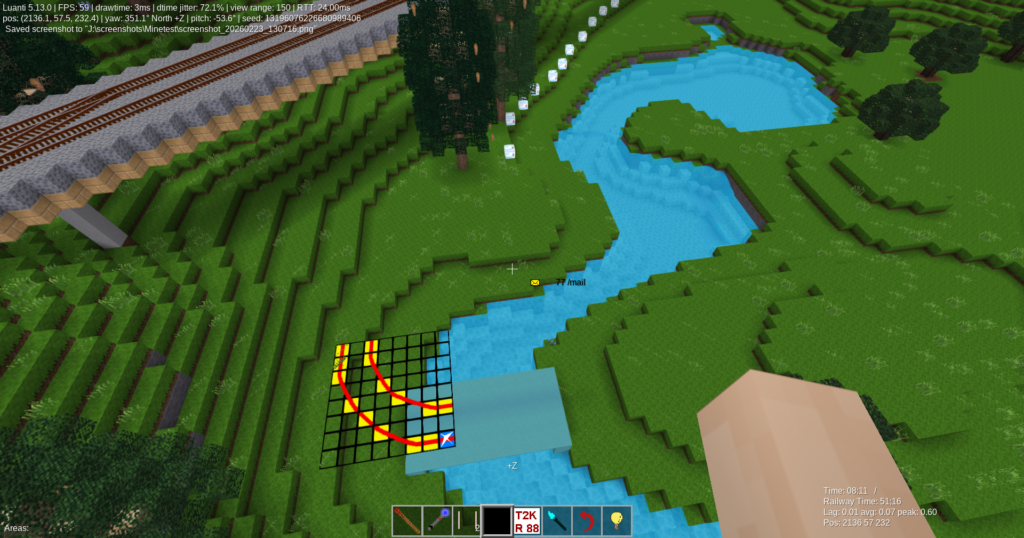
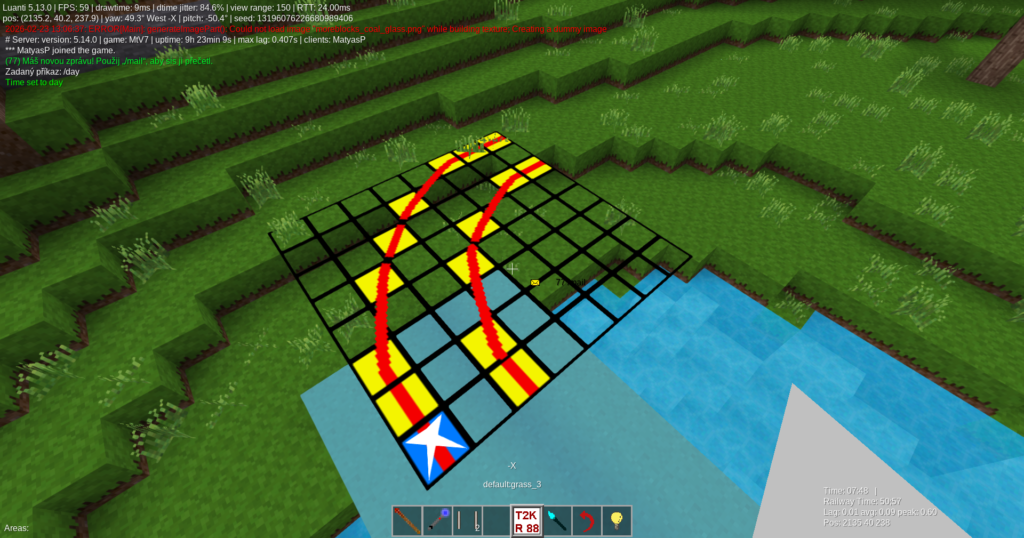
Plan for curve of two-track tramway line
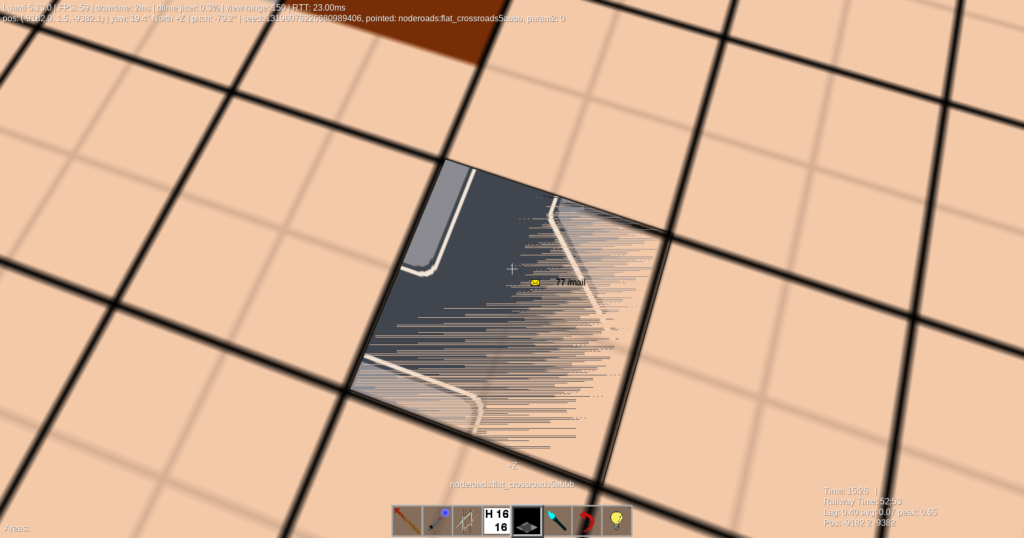
Detail – plan for curve of two-track tramway line
If you use too noderoads, it isn’t recommended placing „flat“ roads to node which is under square or rectangle of archiplanner due Z-fighting (graphic overlay in the same height). Technically it isn’t problem, only for design it isn’t good.
Changelog
Prosím, zatím si projděte verzi v angličtině, překlad do češtiny zpracuji dodatečně.
